What a skateboarder taught us about filming architecture

Shaun McCallum
August 25, 2026We cast an AI-generated skateboarder as the lead and gave a Vienna timber tower the supporting role. Here's the whole cinematic, story-driven workflow, from casting the character in stills to a 30-second cut with music.
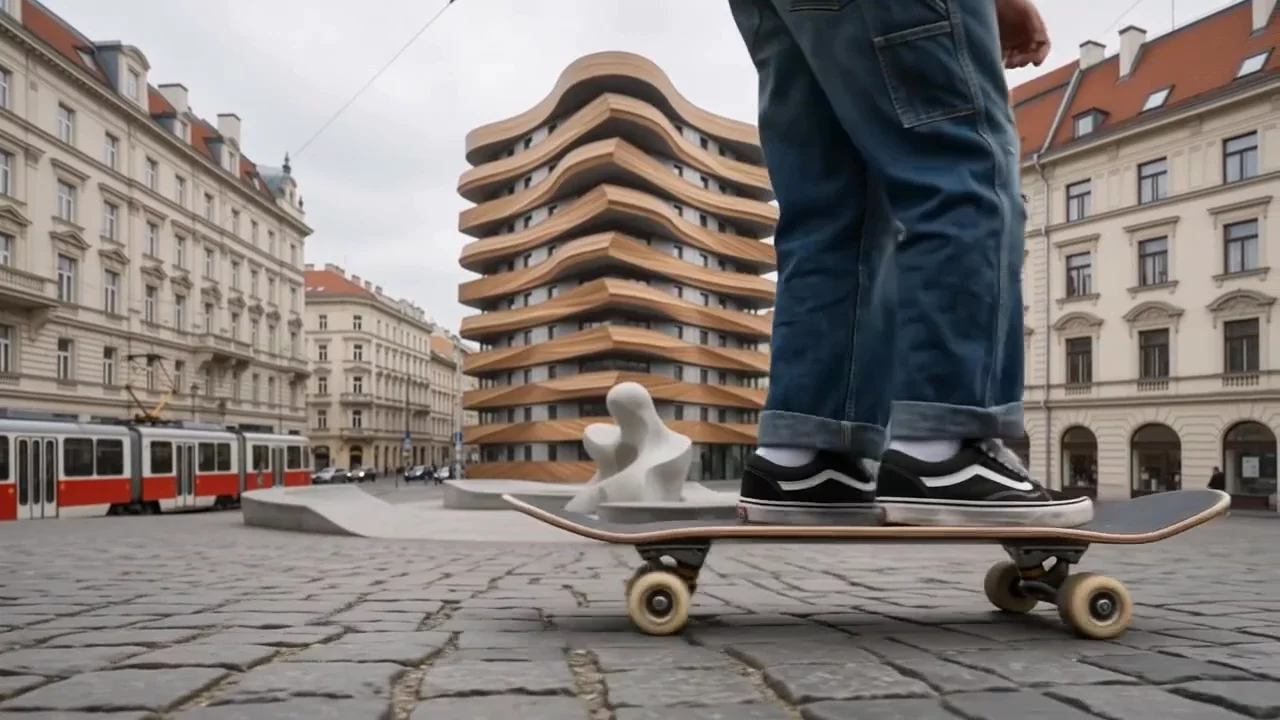
Skate videos have been accidental architecture films for fifty years. Plazas, ledges, handrails, the undersides of buildings nobody else looks at. We decided to do it on purpose: cast an AI-generated skateboarder as the lead, and let a timber tower in Vienna play the supporting role.
Most cinematic architecture video made with AI defaults to the flythrough, a slow pan or an orbit with the building centre frame. Those shots have their place, and if that's what you need, the AI animation generator covers it. But a film gets more interesting when the camera has someone to follow. Give it a subject and the architecture stops performing and starts acting, the way buildings do in actual cinema.
This is a workflow post. We used five models, each for the job it does best:
- Nano Banana Pro to cast the skater.
- Nano Banana 2 to scout the location and storyboard coverage.
- MiniMax Hailuo 3 (H3), Seedance 2.5 and Google Omni Flash to film the shots, with references for consistency and keyframes for action.
- A 30-second cut with music to finish the film.
Every shot starts life as a still. The whole pipeline is image to video, which is what keeps a film like this art-directable: you compose each frame at your leisure, then hand it to a video model and direct the motion. If you want the head-to-head between video models, we ran one in Hailuo 3 vs Seedance 2 for architecture. This post is about how the models work together.
Casting the lead with Nano Banana Pro
A film with a recurring character needs that character locked before anything moves. We cast her nowhere near Vienna: a young skater rolling down a graffiti-covered street, generated with Nano Banana Pro as an ordinary documentary photograph.

"A young skater with long hair, a navy bomber jacket covered in patches over a grey hoodie, baggy dark jeans rolled at the ankle, black-and-white skate shoes, an olive-green backpack covered in pins and patches, cruising down a graffiti-covered city street. Late afternoon light, documentary photography, 35mm."
Wardrobe is doing the continuity work here. Every distinctive item, the patched olive backpack, the bomber, the rolled jeans, is an anchor you can re-name in later prompts, the same way we anchored a chrome fireplace column across an interior film in our multi-shot film workflow. The location doesn't matter at this stage. Characters travel; that's the point of casting them as references.
Scouting Vienna with Nano Banana 2
The location is a sculptural mid-rise of stacked, rippling timber bands, imagined into a cobbled square in central Vienna, with classical stone facades on every side and red trams running past. At its base we gave it a white sculptural fountain that read as skateable the moment we saw it.

"A sculptural mid-rise tower of stacked, rippling timber bands standing in a cobbled square in central Vienna, classical stone facades on both sides, a red tram passing on the left, a white organic sculptural fountain at the tower's base. Flat overcast daylight, documentary wide shot at eye level."
Notice what the scene gives the film beyond the building: the trams. A city's transit is free supporting cast, and it becomes a second camera later. When the scout frame was chosen, we composited the skater into the coverage with edits, the same move as adding entourage to a render, which locks character, location and light before a single frame moves.
Nine shots in one frame
Instead of storyboarding one image at a time, ask for a grid. Nano Banana 2 is fast enough to treat like a location scout, and a single 3x3 grid prompt returns nine candidate shots in one generation: wides, low angles, deck-level close-ups, the skater mid-trick against the timber bands.

Storyboards are for finding ideas, not signing contracts. We explored the whole grid at golden hour and then shot much of the final film under flat overcast light instead, which suits both Vienna and skate footage. The grid's job was different: it told us which compositions had a film in them, low angles that make the tower loom, the skater small against the timber grid, the fountain as foreground.
The same skater in every shot
Reference images are what make a recurring human lead workable. MiniMax Hailuo 3 (H3 in Fenestra's model selector) has a reference mode that takes multiple reference images instead of a single start frame: feed it the casting shots and it returns the same skater, same backpack, same bomber, in whatever shot you describe, at up to 2K. Character consistency stops being luck and becomes an input, and the wardrobe anchors from the casting stage carry the rest in every prompt.
Hand the camera to the tram
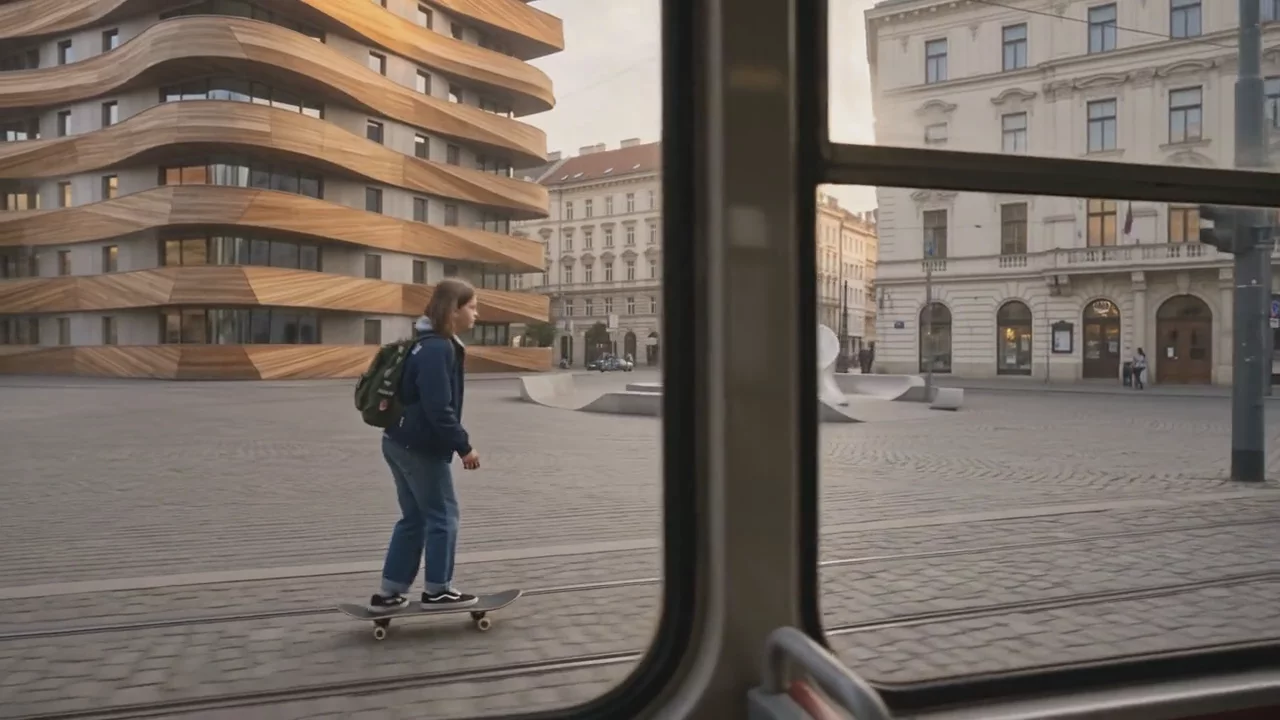
Our favourite move in the film gives the camera to someone else entirely. The shot above is filmed from inside a tram: the skater stands on the platform with the fountain and tower behind her, the doors close, and the tram simply leaves. The building gets a moving frame around it, the film gets a second point of view, and the city's transit turns out to be free supporting cast.
The follow shot
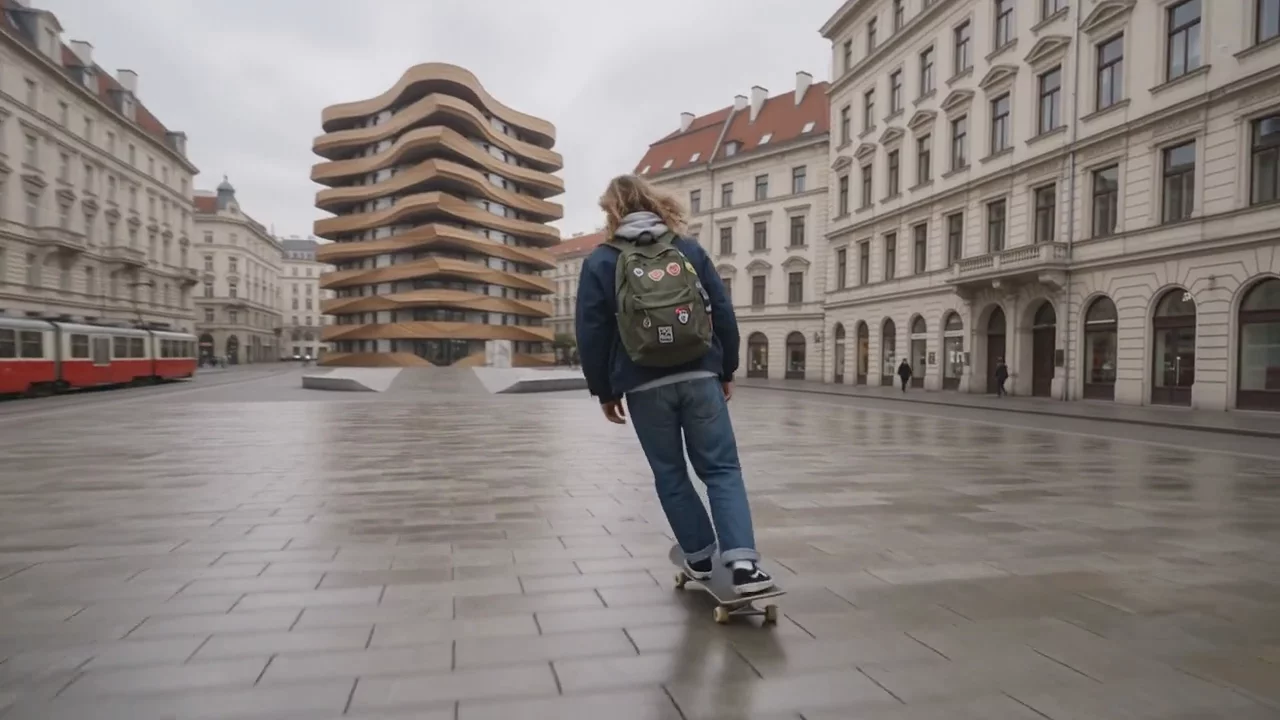
Every skate film has the one shot that carries the edit, and for ours we wanted a single cinematic follow.
"Handheld follow shot tracking a skateboarder from behind at deck height as she pushes hard across a cobbled square, camera low with gentle natural shake, a timber tower ahead of her, red trams passing on the left, flat overcast light, cinematic colour grade."
The word handheld earns its place. A perfectly smooth AI camera reads as CGI; asking for gentle shake and a low position puts the shot back in the language of skate videography, which is the fastest way to make an architectural film feel human.
Drawing the trick with keyframes
For action, the video models also work from a start and end frame. Draw the two ends of a trick as stills, the approach and the peak, and the model films the physics between them. You compose the moment mid-air at your leisure, with the tower exactly where you want it.

Ours didn't make the cut. The close-up above was composed for a ledge trick from the golden-hour storyboard, and the finished film went somewhere quieter. Keep your outtakes anyway; drawn frames are cheap compared to the shots they teach you not to need.
The cut: 30 seconds, one skater, three video models
The finished film is a composite: separate clips from MiniMax Hailuo 3, Seedance 2.5 and Google's Omni Flash, cut together and scored with music. We haven't labelled which model shot what, because in a finished cut it stops mattering. Cutting it ourselves, rather than generating one long take, let every shot keep its own model, its own point of view and its own light, which is how the film moves from overcast morning to golden hour without a continuity error. It plays like this:
(0:00–0:05) Wide from behind: she pushes across the empty square toward the tower, trams sliding past on the left.
(0:05–0:10) From inside the tram: she waits on the platform by the fountain, and the tram pulls away without her.
(0:10–0:15) The tram's view: Vienna streets rolling past the window, no skater at all.
(0:15–0:20) Ground level at the fountain: wheels and cobbles close to the lens, the sculpture curving overhead.
(0:20–0:25) She stops at the tower's base and looks up, the timber bands stacked above her, evening coming on.
(0:25–0:30) Inside the tram: she's aboard, backpack still on, watching the city go by.
The structure is a small story, a skater and a tram circling the same building until she finally gets on, and none of it required the camera to orbit anything. If you'd rather generate a multi-shot film in a single pass, Seedance 2.5 does up to 30 seconds from one timed shot list with audio generated in sync; we walked through that technique, timestamps and all, in the multi-shot film workflow. For this film, the cut was the creative tool.
Let the architecture play the supporting role
The tower is in every shot of this film and the camera never once orbits it. It looms behind her at street level, slips in and out of tram windows, and stacks up over her head when she finally stops to look. That's more screen presence than most flythroughs give a building. Audiences read architecture the way they read a supporting actor: through texture, scale and the way the light hits it.
The same casting works for the projects you're actually paid to film. A jogger for a riverside masterplan, kids for a school, a barista for a ground-floor retail unit. The subject gives the camera a reason to move.
How to do this in Fenestra
Generate and edit your stills with Nano Banana Pro and Nano Banana 2 in Fenestra's Create and Edit tools, then open the Video tool: MiniMax H3 for reference-based shots and keyframe moves at 2K, and Seedance 2.5 for cinematic clips and multi-shot sequences up to 30 seconds with audio switched on. Wan 3 Prime sits in the same selector; that one's for a future film.
Direct your first film→
Start Filming!Related Articles

Flux 3 for Architecture and Interior Design
Flux 3 Image is live in Fenestra. Local edits that leave the rest of your render untouched, ten references in one frame, and native 4K for presentation boards.

Crit Space early access: join the waitlist
Crit Space puts a whole project on one board: renders, variations, video and sketches side by side, with the people you work with. Join the early access waitlist.

Edit Lighting and Weather in Any Render
Natural text in Fenestra changes lighting, time of day, weather and mood from one image. No 3D model, no re-rendering. Type it and watch it update.
 AI rendering software for architects. Turn sketches, CAD drawings and 3D models into photorealistic renders and animations, in your browser.