Multi-shot architectural films from one prompt

Shaun McCallum
August 18, 2026Write your prompt like a shot list and generate a 30-second architectural film with multiple camera angles and synchronized sound in a single pass. Here's the full storyboard-to-film workflow.
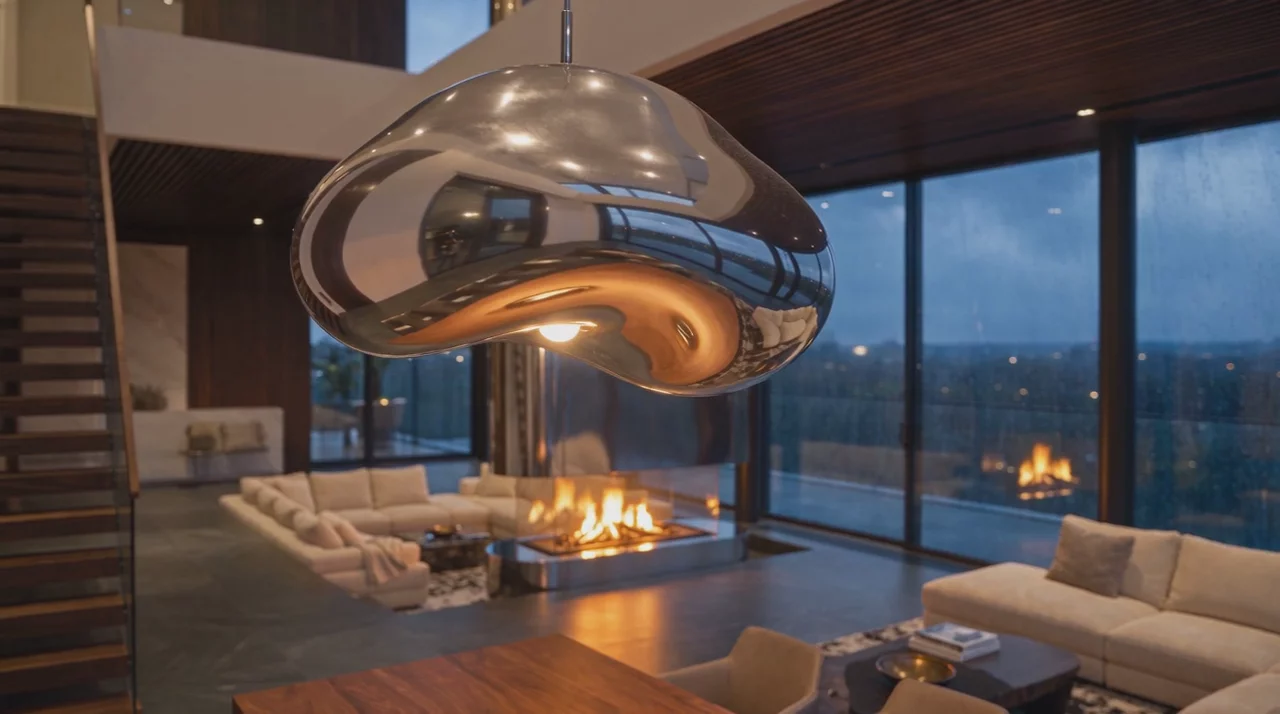
You can now generate an architectural film with multiple camera shots from a single prompt. Write the prompt like a shot list and the model cuts between angles on its own, holding the same space, materials and light across every cut, with synchronized sound generated alongside. What makes this possible is single-pass length: Seedance 2.5, just added to Fenestra's Video tool, generates up to 30 seconds in one generation, where a 5-second model has no room to cut at all.
The whole method fits in four moves:
- Generate one hero render of the space, composed for film.
- Edit that image into your other camera angles with an AI image editor, rather than generating each angle fresh, so materials and light stay locked.
- Give Seedance 2.5 the hero frame and a timed shot list: up to 30 seconds in one pass, each shot 5 seconds or less, cuts on stated timestamps, sound cues written into the prompt.
- Use LTX 2.5 Fast for single clips and 4K masters, with one input image or a start and end frame.
The rest of this post walks through each step with the exact prompts we used, including the full timed shot list.
Step 1: Storyboard your film with Nano Banana Pro
A multi-shot film needs a plan. Generate your hero frame first, then edit it into the other camera positions rather than generating each angle fresh. Editing from one image keeps materials and lighting locked; fresh generations drift.
Our hero frame is a chrome and ivory bouclé interior at dusk, with rain on the glass and a lit fireplace. Both of those details are there for the soundtrack, which we'll get to. The follow-up frames were made with edit instructions like "same interior, camera now in the dining area looking back toward the fireplace lounge."
Reflective materials are the one thing to check closely at this stage. Generated stills can invent different reflections from different angles, so keep one anchor object (our chrome fireplace column) in frame across your shots, and fix any odd reflections with Edit Area before you animate. If you have a studio style set up, apply it across the storyboard here too, so every frame of the film is in your look before anything moves.
Technique 1: Start and end frame
The classic way to control a camera move. Pick your first storyboard frame as the start, the next as the end, and Seedance 2.5 films the journey between them. This gives you the most control over composition, because you've drawn both ends of the shot.
Chain the pairs (shot 1 end becomes shot 2 start) and you can assemble a longer sequence cut by cut. We covered the technique in depth in animating between two views; it works the same here, with sound now included.
Technique 2: One prompt, whole film
This is the new part. Give Seedance 2.5 your hero frame, set the duration to 30 seconds, and write the prompt as a timed shot list. The model handles the cuts itself.
Write the prompt as a timed shot list. State the pattern up front (how many shots, how long each), keep every shot to 5 seconds or less, and re-name your anchor objects in every segment so the space stays locked across cuts. The prompt we used:
"A cinematic interior film in one continuous 30-second sequence with six shots, each shot 5 seconds, cutting exactly on the timestamps.
(0:00–0:05) Open on the sunken lounge exactly as the input image. Slow dolly forward at eye level past the ivory bouclé sofas and silver-grey mohair throw. Rain runs down the floor-to-ceiling windows on the left, deep blue dusk outside.
(0:05–0:10) Cut to a closer angle on the polished chrome fireplace column. The camera drifts slowly around it, the lit fire reflecting and warping across its surface, blue evening light curving around its edge.
(0:10–0:15) Cut to the dining space. The camera arcs slowly around the liquid-metal pendant above the table, its chrome catching warm amber light, rain streaking the glass behind, the lounge soft-focus in the background.
(0:15–0:20) Cut to a low angle at the base of the floating steel staircase. The camera rises up along the treads into the double-height void, walnut ceiling slats coming into view, the chrome column sliding past at frame edge.
(0:20–0:25) Cut to a wide shot from the top of the stairs looking down over the whole open-plan space, fire glowing below, chrome column and pendant catching the last warm light, rain on the full window wall.
(0:25–0:30) Hold the wide with a very slow push in. The fire flickers, rain steady on the glass, dusk deepening to night outside.
Audio: soft rain against glass for the full 30 seconds. Low fire crackle in (0:00–0:10) and returning quietly under the final two shots. A sparse ambient piano score entering at 0:10 and swelling gently from 0:20 to the end."
The model keeps the space consistent between shots because it's all one generation. That consistency between cuts is what separates this from stitching separate clips together.
Seedance 2.5 vs LTX 2.5 Fast
LTX 2.5 Fast arrived in the Video tool alongside Seedance 2.5, so we ran the same shot list through both. The short version: Seedance 2.5 stayed accurate to the input image across every cut. LTX cut between shots too, and its picture quality is a real strength, but the interior drifted slightly from the input as the shots went on.
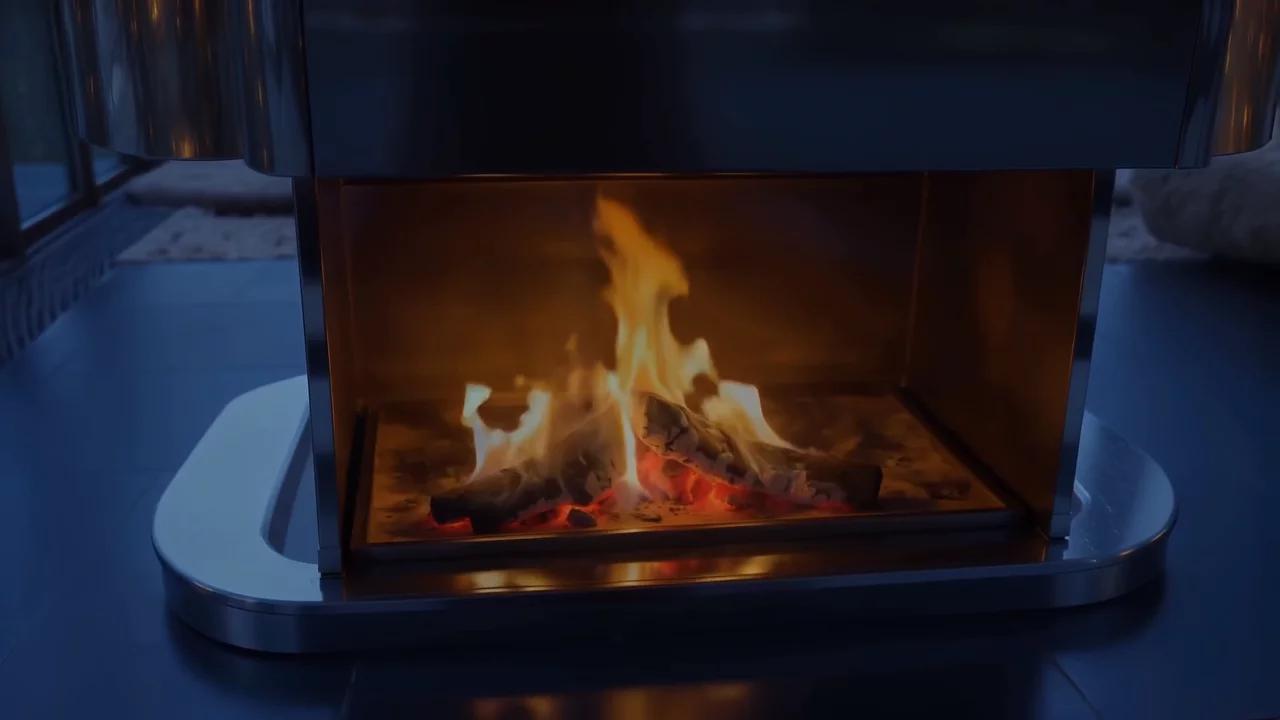
That difference decides the split. Give the one-prompt film to Seedance 2.5, and give LTX less to hold per generation: a single input for a short clip, or a start and end frame for a precise camera move. Used that way it's an excellent high-quality alternative, and the one to reach for when you want a 4K master of your best shot, since it renders up to 4K where Seedance 2.5 works at 720p. It also makes a quick 720p rehearsal model for testing a move before the final pass.
One habit carries between them: LTX takes its camera direction from the prompt, so describe the move in words, exactly like the shot list above.
Every film comes with sound
Seedance 2.5 generates audio in sync with the video: ambience, effects and music, directed from the same prompt. Our rain and fireplace weren't styling choices, they were sound design. Put sound sources in your scene and name them in the prompt, and the film arrives with its soundtrack attached. For spoken lines, put the dialogue in double quotes in your prompt.
How to use it in Fenestra
Open the Video tool, select your image (or set a start and end frame), and choose Seedance 2.5 from the model selector. Set your duration, up to 30 seconds, and switch audio on. Describe your shots in the prompt and click Animate. LTX 2.5 Fast is in the same selector for single clips, start/end moves and 4K masters.
Try Seedance 2.5→
Animate Now!Related Articles

Flux 3 for Architecture and Interior Design
Flux 3 Image is live in Fenestra. Local edits that leave the rest of your render untouched, ten references in one frame, and native 4K for presentation boards.

Crit Space early access: join the waitlist
Crit Space puts a whole project on one board: renders, variations, video and sketches side by side, with the people you work with. Join the early access waitlist.

Create spatial environments from a single image
Marble Mini and Marble Plus by World Labs in Fenestra. Turn one image into an explorable 3D environment for design, testing and spatial storytelling.
 AI rendering software for architects. Turn sketches, CAD drawings and 3D models into photorealistic renders and animations, in your browser.