How to Make a Scrolling Website for an Architecture Project

Shaun McCallum
June 23, 2026Driving geometry by talking in Rhino, then rendering the loop in Fenestra, and what AI 3D modelling can and can't do yet.
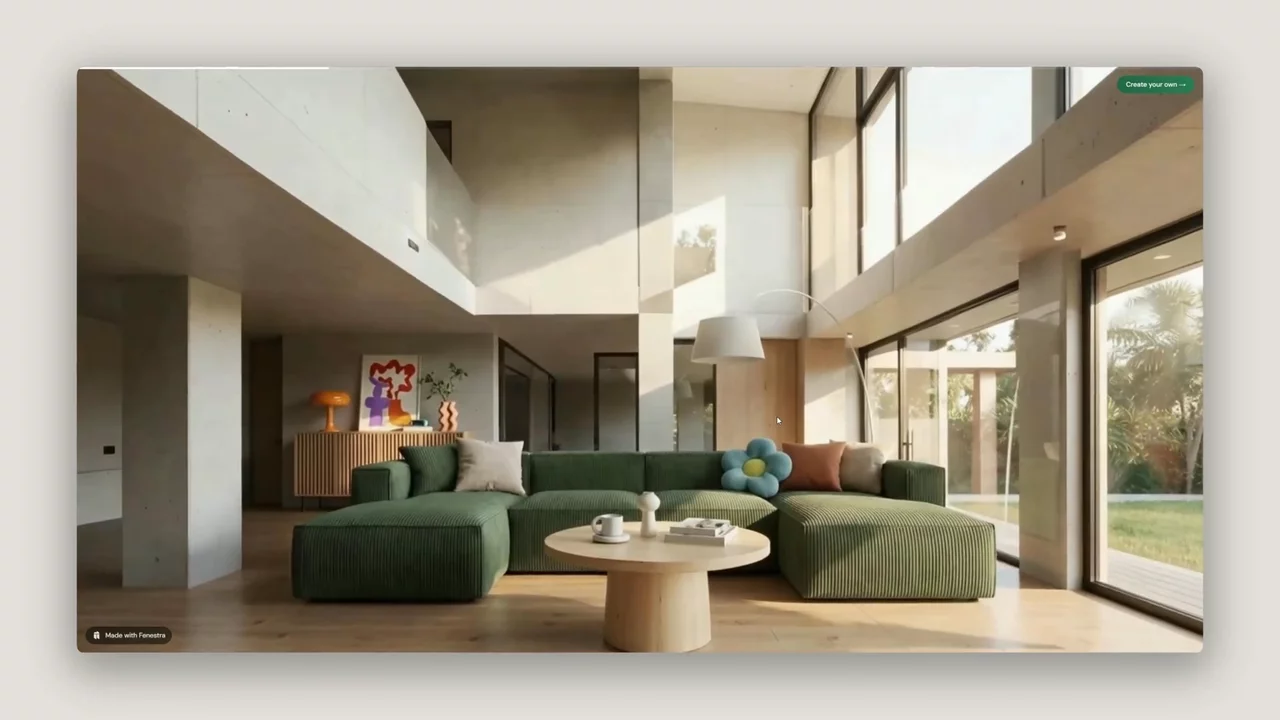
We’ve just launched the Fenestra Scroll Video Tool, a simple way to turn architectural video clips into a scrollable website you can share with a client.
Add a few clips, drag them into order, hit create and you get a link to a page the client can scroll through. No code, no template and no account needed.
As they scroll, the video moves forward frame by frame. They can slow down through an interior, pause on a facade, go back to an entrance moment, or scrub through a lighting transition at their own pace.
It is a much better way to present a project than sending another PDF, image folder or even an MP4.
Make your first scroll video →
Start with the footage
Let Fenestra handle the website. The part that really matters is the videos you use.
A good scrolling architecture page should feel like a journey through the project. You might start with an exterior approach, move across the facade, enter the building, then finish with an interior walkthrough or day-to-night transition.
That sequence is what makes the page feel designed, rather than just another file to open.
This is where Fenestra’s Video tool comes in. You can take a still architectural render and turn it into a short video clip. A single image can become a camera move, a lighting shift, a material reveal, or a simple atmosphere study.

For example:
- "Transition smoothly from day to night. Keep the camera static. No camera movement."
- "Slowly move the camera forward through the space. Keep the architecture consistent and avoid changing the layout."
The animations do not need to be long. A few short, clean moments usually work better than one long video. The aim is to build a clear rhythm: approach, reveal, enter, explore, atmosphere, final image.
For the best result, enhance your render first before generating a video, then create a few animations that explain the project visually.
Create videos for your scroll website →
Generate NowTurn the Animations into a scrolling website
Once you have your videos, open the Scroll Video Maker and drop them in.
Arrange the clips in the order you want the client to experience them. The tool stitches everything into one continuous scroll video, so the finished page feels like a single interactive walkthrough.
You can then share it as a link in an email, proposal, WhatsApp message, portfolio page or studio website. The client does not need to download anything or create an account. They just open the link and scroll.
Make the journey intentional
The best scroll videos are built from a clear sequence: approach the building, reveal the facade, move inside, then end on the strongest image.
That small bit of structure makes the page feel more like a presentation and less like a folder of renders.
Try it now
Scroll NowRelated Articles

Bring Back Drawings, Not Just Photos
Turn your own projects, or the buildings you photograph on site visits and study trips, into pen, doodle, watercolour and rubber stamp studies. Four prompts, one consistent visual language.

How to Make an Architectural Walkthrough From a Single Render
Make a walkthrough video from one render, photo or sketch. Pick the camera move, get an MP4 back in minutes, and skip the 3D scene and the render farm.

Editing Images. Adding Entourage in Fenestra.
Qwen Image Edit in Fenestra: edit architectural images, swap facades, change environments and add entourage like people with conversational prompts.
 AI rendering software for architects. Turn sketches, CAD drawings and 3D models into photorealistic renders and animations, in your browser.